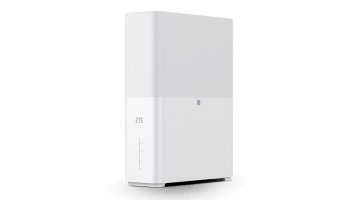
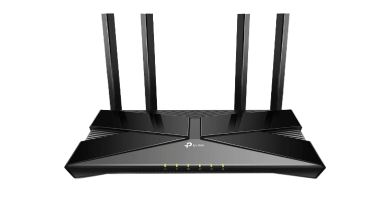
Can I use any SIM card with the ZTE G5TS Pro router?
Yes. The ZTE G5TS Pro supplied by TIN Solutions is fully network-unlocked and compatible with major South African mobile operators including MTN, Telkom, and Vodacom. You can use your existing data SIM or order a pre-activated, uncapped wireless SIM directly with us.
Do I need RICA registration to purchase or activate a wireless router?
Hardware equipment itself does not require RICA; however, all accompanying SIM cards and mobile data connections are legally required under South African law to undergo RICA verification. TIN Solutions completes RICA verification upon presentation of your valid South African ID or passport and recent proof of residential address.
What is the difference between a mobile MiFi and a desktop wireless router?
A mobile MiFi router (such as the TP-Link M7000) is battery-powered, compact, and designed for travel or light use with up to 10 devices. A desktop router (such as the ZTE G5TS Pro) is mains-powered, features high-gain antennas, Gigabit Ethernet ports, and high-capacity Wi-Fi 6 capable of supporting up to 64 simultaneous devices throughout your home or office.
Can I connect an external antenna to the ZTE G5TS Pro?
Yes. The ZTE G5TS Pro is equipped with dual TS-9 external antenna ports on the rear. If your property is in a fringe coverage area, you can connect an external high-gain Poynting or directional antenna to boost cellular signal reception and improve download speeds.
How does Mesh Wi-Fi differ from a standard Wi-Fi extender?
Mesh units can provide a shared Wi-Fi network across several access points. Roaming and coverage depend on the devices, placement and surroundings; a mesh system cannot guarantee uninterrupted calls or streaming.
How long will the Gizzu Mini DC UPS keep my router running during load shedding?
Backup duration depends on the connected router or ONT, total power use and battery condition. The 8,800mAh battery capacity does not guarantee a fixed runtime. Send TIN the device models and power ratings so we can check compatibility.
What warranty and support is provided with hardware purchases?
All equipment supplied by TIN Solutions is ICASA type-approved and carries a full 12-month manufacturer swap-out warranty covering hardware faults. Our local technical support desk assists with initial router setup, APN configuration, and troubleshooting.