
Hardware Diagnostics, Speed Upgrades & Mobile On-Site Repairs
Laptop and desktop fault assessment, upgrades, software setup, malware removal and backup support. Tell us what is happening so we can agree on the next step.
What Issue is Your Computer Experiencing?
Choose the closest symptom to see possible causes and what to prepare. These suggestions do not replace a diagnosis.
Won't Turn On / No Power
Probable Cause
Power rail fault, damaged DC charging jack, internal short-circuit, or power supply unit (PSU) failure.
Recommended Solution
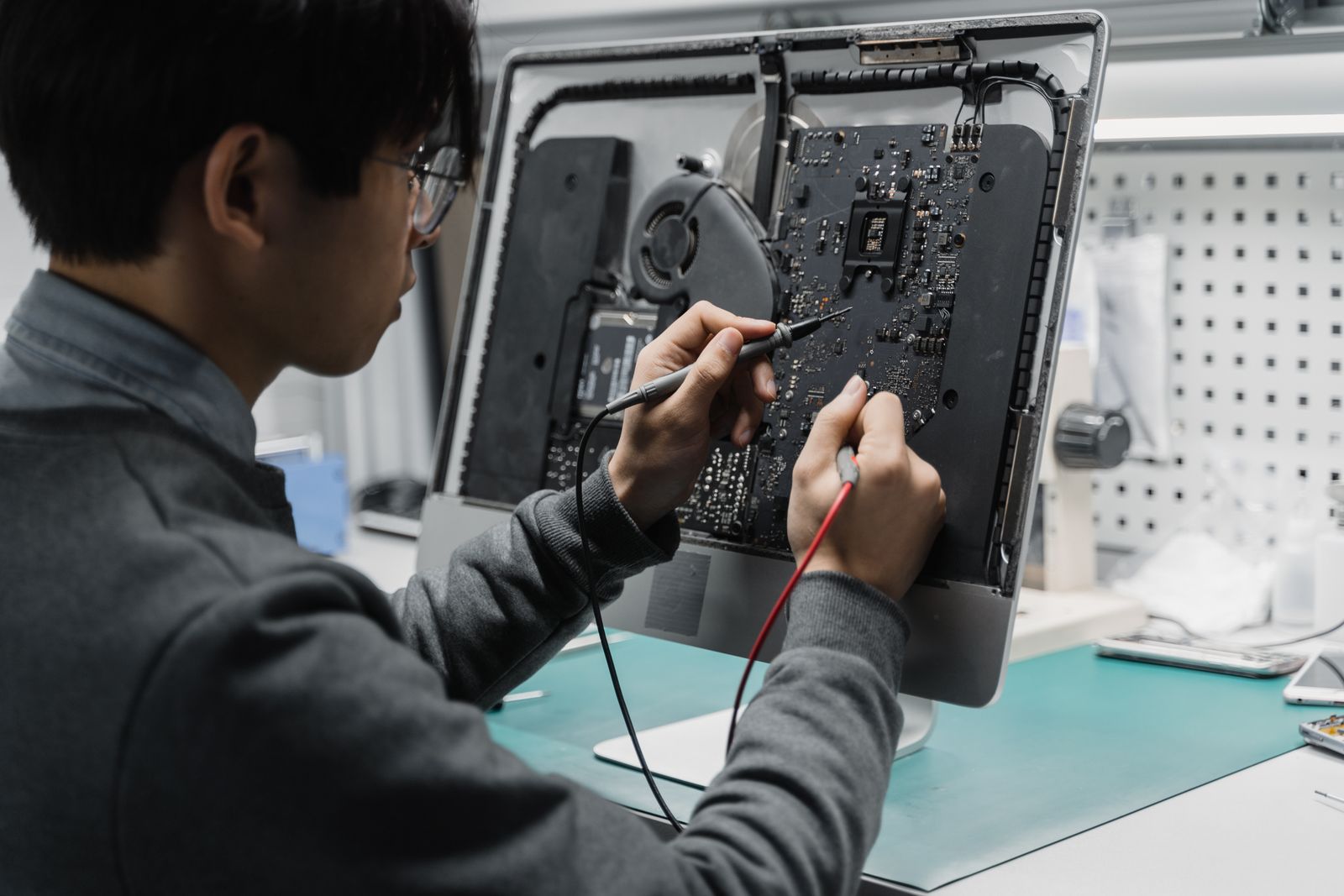
Multi-meter component-level board analysis, power jack micro-soldering, or PSU replacement with clean circuit bench-testing.
What to Prepare
- Bring the original power adapter / charging brick with your device
- Note if there were recent load-shedding power surges or lightning storms
- Do not force charging pins or attempt to bypass damaged cables
End-to-End Computer Services & Solutions
Choose the repair or support service you need. We confirm the fault, parts, access and charges before the agreed work starts.
Full Hardware Diagnostics & Repairs
Comprehensive hardware inspection to pinpoint root faults accurately before any repair begins.
- Motherboard & logic board multi-meter voltage testing
- Power supply unit (PSU) wattage load testing
- RAM memory stress testing & bad sector memory identification
- GPU graphic processor thermal & artifact diagnostics
- Liquid damage inspection & ultrasonic circuit cleaning
- Structural hinge repair & chassis rebuilding
Storage & Memory Speed Overhauls
Check whether a storage or memory upgrade suits your existing computer.
- Mechanical HDD to high-speed NVMe / SATA SSD upgrades
- Cloning assessment and agreed file-transfer scope
- RAM memory capacity expansion (DDR4 & DDR5 dual-channel)
- Thermal servicing: deep dust purging & Arctic MX-4 repasting
- Storage and memory checks for slow performance
- Old drive converted into an external portable USB backup drive
Data Services & Disaster Recovery
Get help assessing accessible files and planning backups. Recovery depends on the drive and is not guaranteed.
- File recovery from clicking, failing, or unreadable HDDs & SSDs
- Accidentally formatted partition & deleted folder reconstruction
- Automated local (NAS) & encrypted cloud backup implementation
- Plan file and application transfers to a new computer
- Outlook PST/OST archive migration & browser credential transfer
- Data access and copying agreed for the job
Software, OS & Security Hardening
A clean, stable operating system configured specifically for productive daily business.
- Fresh, optimized installations of Windows 11, Windows 10, or macOS
- Linux desktop & server workstation deployments (Ubuntu/Debian)
- Rootkit, spyware, adware, and Trojan virus elimination
- Resolution of Blue Screen of Death (BSOD) stop-code errors
- Driver conflict resolution & official manufacturer BIOS updates
- Microsoft 365, accounting packages (Sage/QuickBooks) & office suites
Network Setup & Office Infrastructure
Connect your computers, printers, and mobile devices across your home or business.
- Business Wi-Fi routers, mesh systems & long-range access points
- Structured Cat6 / Cat6A Ethernet network cabling & patch panels
- Network printer sharing, scanner mapping & switch configuration
- Elimination of Wi-Fi dead-zones across multi-story buildings
- Network-attached storage (NAS) for shared office folders
- Secure remote access (VPN) setup for working from home
Managed IT & Fleet Maintenance Plans
Prevent costly downtime with regular maintenance checkups and dedicated technical support.
- Scheduled monthly or quarterly fleet maintenance checkups
- System health audits, patch management & security updates
- Preventive thermal maintenance to avert sudden hardware failure
- Priority SLA turnaround for critical office workstation faults
- Dedicated helpdesk ticketing & remote screen-share assistance
- Hardware asset tracking & upgrade lifecycle planning
How Our Repair Process Works
Review the quote before authorising work. We discuss any additional parts or work before proceeding.
Describe & Book
Reach out via WhatsApp, phone, or online portal. Tell us your device make, model, and the symptoms you are experiencing.
Diagnostic Assessment
We inspect the hardware or software fault on our ESD-safe diagnostic bench and verify root issues and required parts.
Approve Quote & Repair
You receive a transparent quote detailing parts and labor. Work commences only once you review and formally approve.
Verification & Handover
We check the agreed repair and explain the outcome before handover. Any parts or labour warranty is stated in your quote.
Why Professional IT Engineering Matters
Tell us about important data and any backup needs before work begins. We agree on the access needed for the job.
| Standard & Practice | Generic / Backyard Repairers | TIN Solutions Engineering |
|---|---|---|
| Data Privacy & POPIA Protection | Unregulated; personal folders browsed | Data access agreed before work |
| Storage & SSD Upgrades | Drives wiped; user forced to reinstall everything | Cloning assessed; backup scope agreed |
| ESD Electrostatic Protection | Bare tables; high risk of microscopic chip fry | Anti-static grounded mats, wrist-straps & ESD tools |
| Replacement Parts Integrity | Low-grade used or counterfeit knock-offs | Compatible parts with quoted warranty terms |
| Thermal Servicing Materials | Cheap generic paste that dries out in 2 months | High-conductivity Arctic MX-4 / Noctua compounds |
| On-Site Business Fleet Support | Carry-in only; no corporate SLA coverage | Mobile on-site dispatch & recurring maintenance plans |
Common Questions About Computer Repairs
Clear, direct answers about our diagnostic process, pricing quotes, turnaround times, and data privacy.
We first check whether the current drive can be copied and which files and applications matter. Cloning is not always possible, and licence or application checks may be needed. Agree on a backup plan before an upgrade.
Ready to Restore Your Computer to Peak Performance?
Tell us your device, the fault and any important data at risk. We’ll help arrange an assessment or the appropriate support.